Why Most Homeowners Have No Idea Where Their Energy Goes
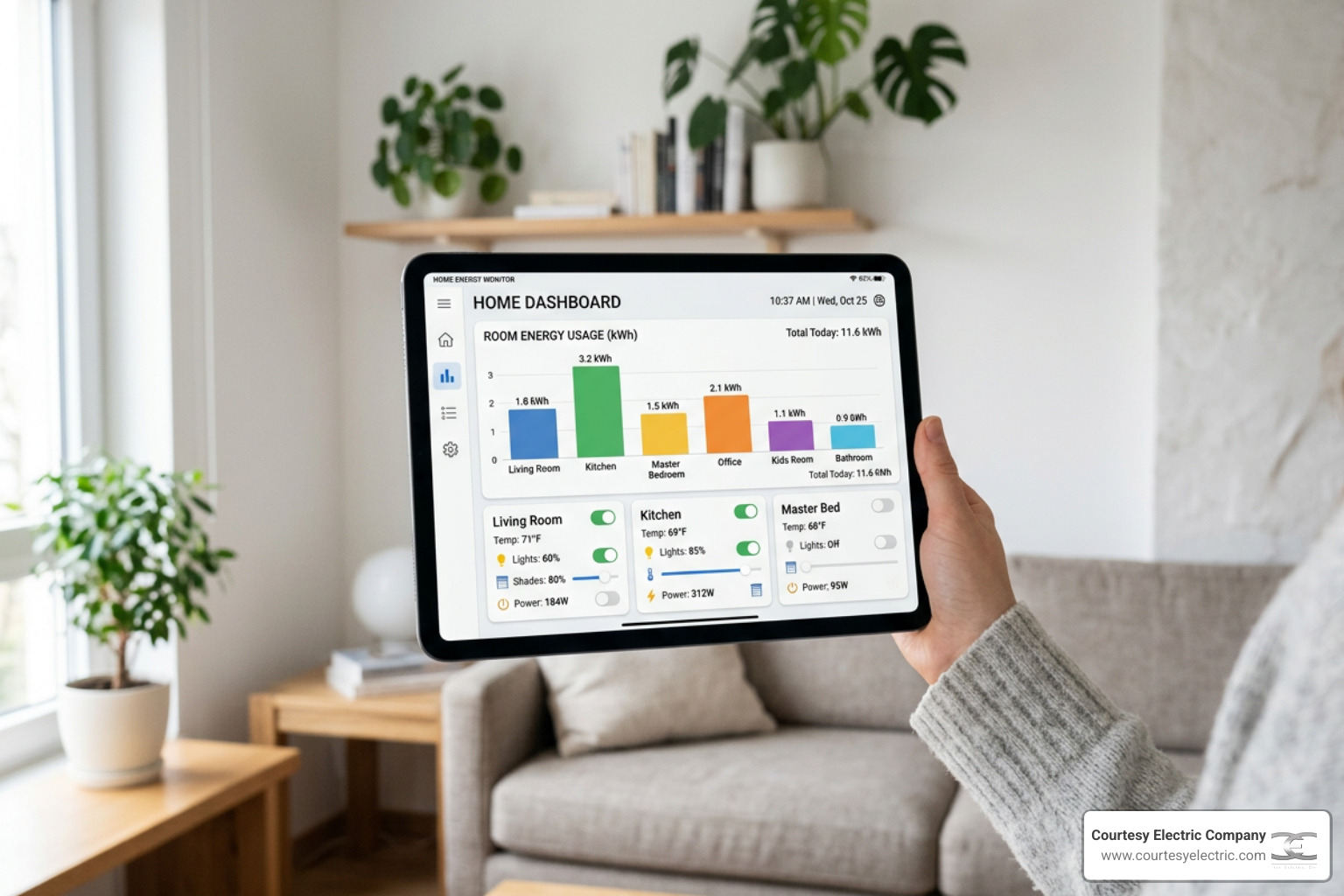
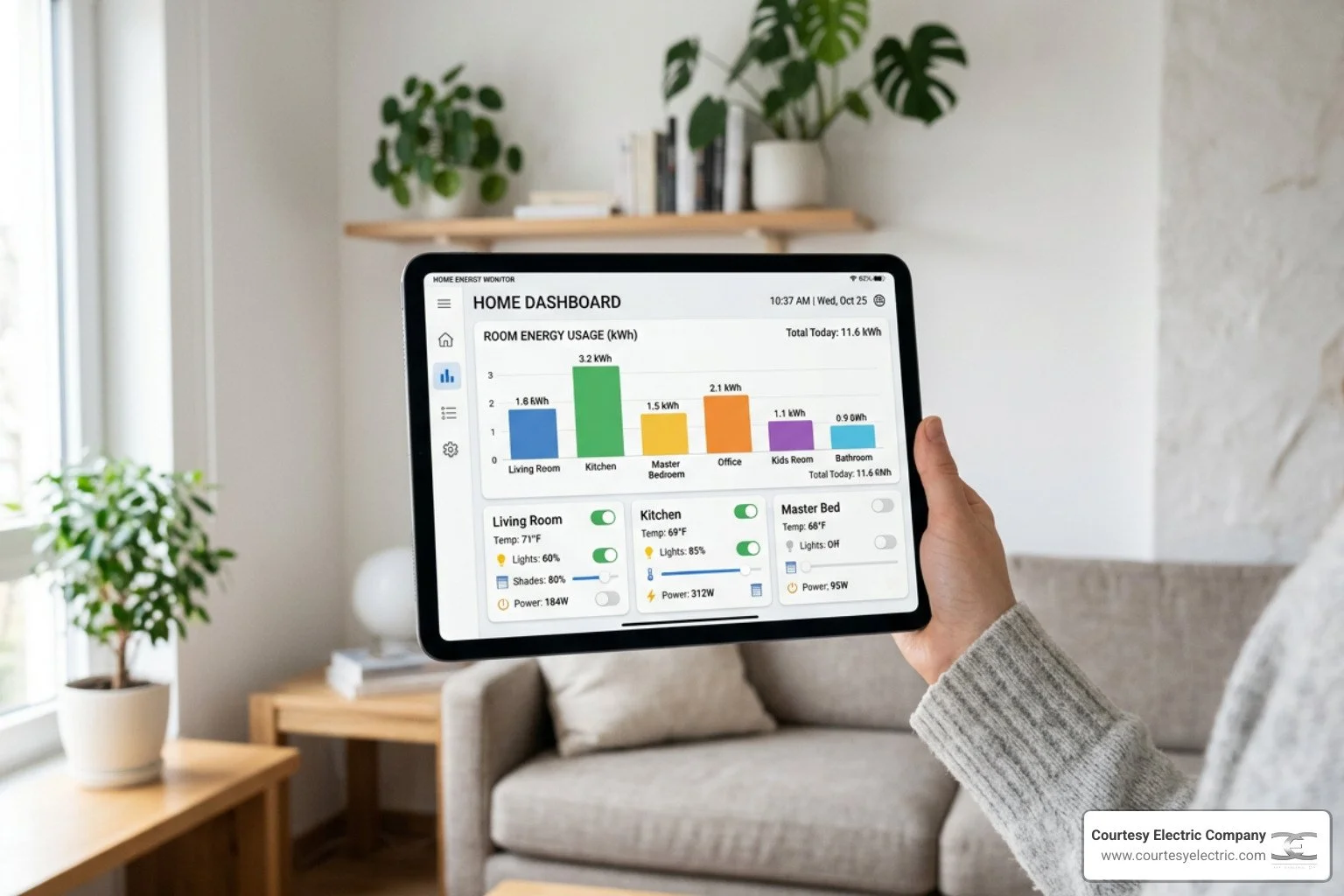
Learning how to track and control energy use room by room is one of the most effective things a Colorado Front Range homeowner can do to cut utility bills and stop guessing about where electricity is going.
Quick answer — how to track and control energy use room by room:
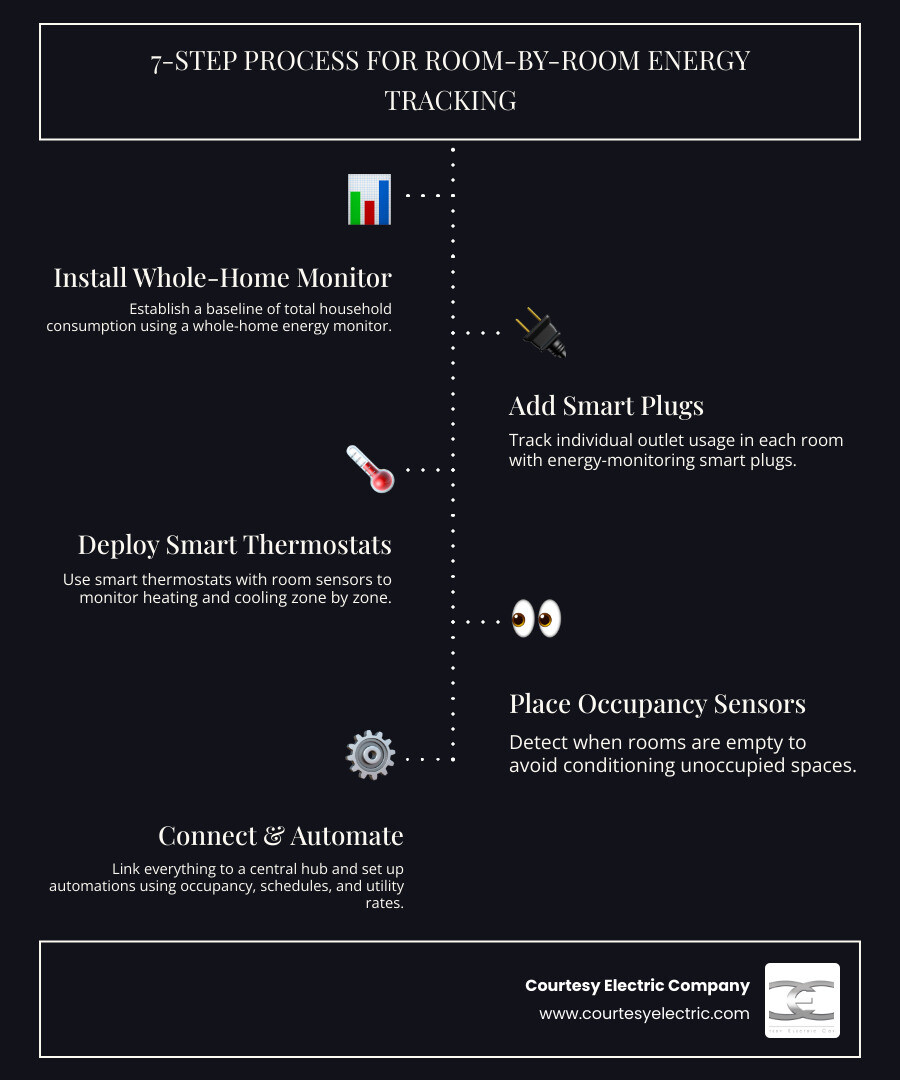
- Install a whole-home energy monitor to establish a baseline for total consumption
- Add smart plugs with energy monitoring to individual outlets in each room
- Deploy a smart thermostat with room sensors to track heating and cooling zone by zone
- Place occupancy sensors in each room to detect when spaces are empty
- Connect everything to a central hub (such as Home Assistant or a compatible smart home platform)
- Set up automations based on schedules, occupancy, and time-of-use utility rates
- Review dashboards regularly to spot waste, refine schedules, and measure savings over time
Here is why this matters: according to the U.S. Energy Information Administration, more than half — 52% — of a household's annual energy consumption goes to just two things: space heating and air conditioning. Yet most homes run on a single thermostat with no visibility into which rooms are actually driving those costs. The result is wasted energy conditioning empty rooms, appliances drawing power around the clock in standby mode, and utility bills that feel impossible to control.
The good news is that the tools to fix this are more accessible than ever. Smart plugs, occupancy sensors, energy monitors, and smart thermostats can now work together inside a unified system that gives you real numbers — room by room — and lets you act on them automatically.
I'm David Meyer, Vice President of Courtesy Electric, and over nearly 50 years of residential and commercial electrical work across Colorado, I've seen how a structured approach to how to track and control energy use room by room can transform the way homeowners manage their energy. In the sections below, I'll walk you through the exact tools, setup steps, and automation strategies that deliver real, measurable savings.
Why Room-by-Room Energy Tracking Matters
To truly master your home's energy efficiency, you have to stop treating your house as one giant, single-consumption zone. If you only look at your monthly utility bills, you are looking at historical data—essentially an autopsy of your past month's spending. You cannot easily tell if a spike was caused by your home office setup, a forgotten space heater in the basement, or an aging refrigerator struggling in the garage.
This is especially true for single-family homes, which consume nearly three times more energy on average than apartments in multi-unit buildings. In spacious homes across Denver, Parker, and Highlands Ranch, energy waste multiplies quickly. By breaking down your residential energy consumption by room, you gain the actionable intelligence required to make targeted adjustments that yield a high ROI.
To understand the full scope of how these systems protect your budget, explore the Energy Management System Benefits for Homeowners.
Identifying the Biggest Energy Consumers
The first step in taking control is appliance mapping—creating a visual or digital inventory of what is plugged in and how much it draws. When you begin tracking room by room, you will quickly locate your home's "energy hogs."
While we expect large appliances like air conditioners and water heaters to use significant power, we often overlook standby power. Also known as "phantom loads," standby power is the energy consumed by electronic devices while they are switched off or in standby mode.
Think of your cable box, gaming consoles, desktop computers, and even microwave clocks. Individually, they seem harmless. Collectively, phantom loads account for 5% to 10% of residential energy use, costing the average household a surprising amount of money every single year. Room-by-room tracking allows you to see exactly which rooms are drawing a constant "baseload" of power even when completely empty.
The Impact of Zoned Climate Control
Because space heating and air conditioning make up the lion's share of your energy footprint, traditional single-thermostat HVAC systems are inherently inefficient. If your thermostat is in the living room, your HVAC system will run until the living room reaches the target temperature, regardless of whether your upstairs bedrooms are freezing or your home office is overheating.
By dividing your home into distinct temperature zones and tracking room-by-room climate data, you can achieve massive energy savings. Instead of conditioning the entire house to a uniform temperature 24/7, zoned climate control allows you to dynamically adjust temperatures based on actual room usage. You can let unoccupied guest rooms drift to more efficient temperatures while keeping your active workspace perfectly comfortable.
Essential Tools to Track and Control Energy Use Room by Room
You do not need to tear out your walls or spend a fortune to start tracking your energy. A modern, modular room-by-room energy management system can be built incrementally using off-the-shelf smart devices.

By combining these devices, you can create a highly responsive environment. For a deeper look at how smart technology keeps your home comfortable while lowering costs, check out How to Reduce Your Summer Electric Bill with Smart Technology.
Smart Plugs and Monitors to Track and Control Energy Use Room by Room
Smart plugs are the ultimate entry point for room-level tracking. However, not all smart plugs are created equal. When shopping for plugs, look specifically for models that offer true RMS (Root Mean Square) energy monitoring.
Some budget smart plugs merely "estimate" power usage based on average voltage assumptions, which can result in inaccuracies of 10% to 30%. True RMS smart plugs measure actual real-time voltage and current waveforms, providing billing-grade accuracy.
By deploying these plugs on high-impact devices, you can eliminate phantom loads completely. A great rule of thumb is to focus on the top 10% of your plug-in devices, which typically consume 50% to 70% of your total plug-level energy.
Smart Thermostats and Temperature Sensors
A smart thermostat is the brain of your climate control, but it is only as good as the data it receives. By pairing an ENERGY STAR certified smart thermostat (such as an ecobee or Nest) with wireless temperature sensors placed in key rooms, you can move away from single-point temperature management.
These remote sensors feed real-time temperature and humidity data back to the thermostat, allowing it to average the readings across occupied rooms or prioritize specific climate zones depending on the time of day.
Smart Lighting and Occupancy Sensors
Lighting is another low-hanging fruit for room-by-room control. Upgrading to energy-efficient LED bulbs is a great start—LEDs are up to 400% more efficient than old incandescent bulbs and last tens of thousands of hours.
However, the most efficient light is the one that is turned off. By pairing smart lighting with occupancy sensors (or multi-sensors that detect motion, temperature, and light levels), you can automate your lighting entirely. If a room remains unoccupied for ten minutes, the system turns off the lights and non-essential smart plugs automatically.
Setting Up and Automating Your System
Once you have the hardware in place, the magic happens when you connect these individual devices into a unified, intelligent system. While proprietary smart home apps are fine for basic control, a central, local-first platform like Home Assistant offers unparalleled flexibility, privacy, and automation depth.
Using Home Assistant ensures your automations continue to run locally even if your internet connection drops. It also allows you to integrate devices across different protocols, including Zigbee, Z-Wave, and the newer Matter and Thread standards, which provide seamless device interoperability.
To explore how these platforms fit into the broader landscape of home energy options, read our guide on Energy Management Options for Colorado Homes.
How to Track and Control Energy Use Room by Room with Automation
The real power of a room-by-room system lies in automation rules that run silently in the background. Instead of manually turning things on and off, you can program your home to adapt to your lifestyle and local utility rates.
For homeowners in Denver and the Front Range, incorporating time-of-use (TOU) utility rates into your automation logic is incredibly high-impact. During hot summer afternoons, electricity rates spike. You can set up automation rules that automatically initiate "efficiency mode" during these peak hours—raising the AC setpoint slightly, turning off non-essential smart plugs, and delaying heavy appliance runs.
To learn more about managing high-demand periods, see our detailed guide on How to Manage Electrical Demand During Hot Weather.
Integrating HVAC, Lighting, and Appliances
To build a truly cohesive system, you must bridge the gap between your smart hub and your physical hardware. Use local APIs whenever possible to keep your response times fast and independent of the cloud.
Additionally, as you add more smart devices to your home, network segmentation is highly recommended. Creating a dedicated IoT (Internet of Things) Wi-Fi network SSID keeps your primary home network fast and secure while ensuring your smart plugs, sensors, and thermostats can communicate without interference.
Room-by-Room Optimization and Troubleshooting
Every room in your home has a unique energy signature. Optimizing your home requires looking at each space individually and applying tailored strategies.
To help you prioritize your efforts, we have compiled a quick-reference table of room-by-room strategies:
| Room Type | Primary Energy Hogs | Recommended Tracking Tools | Key Automation Strategy |
|---|---|---|---|
| Home Office | Computers, multiple monitors, servers, local printers | True RMS smart plugs, temperature sensor | Shut down all peripheral power strips when room is unoccupied for >15 minutes; monitor heat generation. |
| Bedrooms | Space heaters, window ACs, entertainment systems | Smart plugs, occupancy sensors, window sensors | Condition only 30 minutes before bedtime; allow temperature to drift during daytime unoccupied hours. |
| Kitchen | Refrigerator, dishwasher, microwave, small appliances | Smart plugs (for countertop devices), appliance mapping | Run dishwasher on eco-cycle during off-peak hours; verify refrigerator door seal integrity. |
| Living Areas | Large TVs, game consoles, audio systems, ambient lighting | Smart power strips, multi-sensors (motion/lux) | Use motion detectors to shut down standby power to the media center when the room is empty. |
Managing Airflow and Sensor Placement Challenges
When you begin controlling climate room by room, you may encounter airflow balancing issues. If you use smart vents to restrict airflow to unoccupied rooms, you must proceed with caution. Closing too many vents can restrict airflow, increase static pressure in your ductwork, and actually cause your HVAC blower motor to work harder and consume more energy.
Rule of thumb: Never close more than 40% of the vents in your home at any one time.
Sensor placement is also critical. If you place a temperature sensor in direct sunlight or too close to an exterior window, it will report artificially high or low temperatures, causing your system to overcompensate. Always mount sensors at shoulder height on an interior wall, away from direct sunlight, drafty doors, and supply registers. To avoid errors from a single malfunctioning sensor, use the median reading of two sensors in larger rooms.
Resolving Automation Conflicts and Safety Concerns
As you build more automation rules, you will occasionally run into conflicts. For example, what happens if your system wants to turn off the home office power strip because it detects no motion, but you are sitting perfectly still on a long video call?
To prevent these annoyances, implement priority logic in your smart hub. You can set a rule where calendar events (like a scheduled meeting) or active network traffic from your computer override standard motion-based shutdown rules.
Safety should always be your top priority. While smart plugs are fantastic for lamps and electronics, they have strict amperage ratings (typically 15 amps). Never plug heavy, high-draw loads like space heaters, portable air conditioners, or major kitchen appliances into a standard smart plug unless you have verified that the appliance's peak draw is well below the plug's rated capacity.
Frequently Asked Questions About Room-by-Room Energy Tracking
How much energy can I save by tracking room by room?
While individual results vary based on your home's size and habits, homeowners who actively track and optimize their energy use room by room typically see substantial reductions in their utility bills. Users of advanced home energy monitors report average annual energy savings of 4% to 8%, while implementing smart, zone-based HVAC automations can cut heating and cooling costs by up to 25%.
To see how these savings accumulate over time, read about How Energy Management Reduces Your Electric Bill.
Do I need a smart panel to manage room-level energy?
No, you do not need a smart panel to get started, but upgrading to a smart electrical panel (like a SPAN panel) is the gold standard for whole-home energy management. Standard breaker panels are passive safety devices.
A smart panel replaces standard breakers with intelligent, controllable circuits. This allows you to monitor energy consumption at the circuit level in real time, prioritize loads during a power outage, and control high-draw appliances directly from your phone without needing individual smart plugs on every outlet.
Is it safe to install smart plugs on high-draw appliances?
It depends entirely on the smart plug's continuous duty rating and the appliance's power draw. Most standard smart plugs are rated for a maximum of 15 amps (approximately 1,800 watts at standard U.S. voltage).
However, running a smart plug at its absolute maximum capacity for hours at a time (such as with a heavy-duty space heater or window AC unit) can lead to overheating. Always cross-reference the appliance's nameplate wattage with the smart plug's specifications. For heavy loads, it is always safer to consult a professional electrician.
Take Control of Your Home's Energy with Courtesy Electric Company
Ready to transition from guessing to knowing? Implementing a room-by-room energy tracking and control system is a powerful way to make your home more comfortable, sustainable, and affordable to run. Whether you want to start simple with smart plugs and occupancy sensors or go all-in with advanced energy management, you don't have to navigate the technical details alone.
At Courtesy Electric Company, we have been serving homeowners throughout Denver and the Colorado Front Range since 1976. Our expert team specializes in low-voltage systems, smart home integrations, and advanced power management solutions. From installing SPAN smart panels that give you circuit-level control to integrating Franklin battery storage systems and home standby generators, we provide the robust infrastructure your modern smart home demands.
We are committed to delivering quality, integrity, and dependability on every project, and we are happy to offer free estimates on all new electrical installations.
Get professional low-voltage and smart home installation from Courtesy Electric Company


